
VR Headsets for Enterprise Training: Selection, Setup, and Management
The headset is the most visible part of a VR training program and the easiest to get wrong. This guide covers what a VR headset is, how it works, and the practical realities of deploying and managing a fleet across a workforce.
QUICK ANSWER
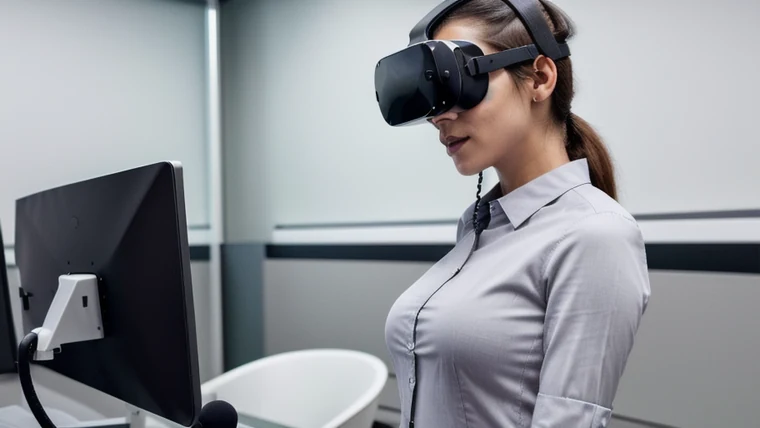
A VR headset is a wearable display that immerses a user in an interactive 3D environment using stereoscopic screens and motion tracking. For enterprise training, the practical concerns are 6DOF tracking, comfort for repeated use, haptic feedback, fleet management, and minimizing side effects like motion sickness. In a managed deployment, setup, pairing, and resets are handled centrally so workers simply put the headset on and train.
What Matters When Choosing Enterprise VR Headsets
For consumer use, headset choice is about games. For enterprise training, it is about deployability: standalone operation (no tethered PC), comfortable fit for back-to-back sessions, 6DOF tracking for natural movement, optional haptic feedback for realism, and centralized device management for a fleet. The hardware decision should be made early because it constrains content fidelity, comfort, and total cost. We cover this in the platform guide.
Setup and Day-to-Day Use
End users rarely need to manage hardware in a well-run program, but the basics are worth knowing. The common questions, how to use a VR controller, how to pair it, how to reset a headset, are handled by mobile device management at scale. What to do with a VR headset between sessions is simple: dock it for charging and storage. Good VR headset storage keeps devices charged, sanitized, and ready for the next shift.
Related Terms
- 6dof vr
- 6dof vr: six degrees of freedom, meaning the headset tracks both rotation and position so users can lean, step, and reach naturally for realistic training.
- haptic feedback vr
- haptic feedback vr: haptic feedback adds a sense of touch to VR through controllers or gloves, increasing realism for procedure and equipment training.
- haptics in vr
- haptics in vr: haptic feedback adds a sense of touch to VR through controllers or gloves, increasing realism for procedure and equipment training.
- how to factory reset vr headset
- how to factory reset vr headset: resetting or restarting a headset restores normal operation; in a managed fleet this is handled by IT through mobile device management, not by end users.
- how to open vr controller battery
- how to open vr controller battery: VR controllers let users interact with the virtual scene; in managed enterprise deployments, pairing, batteries, and power are handled centrally.
- how to pair vr controller
- how to pair vr controller: VR controllers let users interact with the virtual scene; in managed enterprise deployments, pairing, batteries, and power are handled centrally.
- how to reset vr headset
- how to reset vr headset: resetting or restarting a headset restores normal operation; in a managed fleet this is handled by IT through mobile device management, not by end users.
- how to restart vr headset
- how to restart vr headset: resetting or restarting a headset restores normal operation; in a managed fleet this is handled by IT through mobile device management, not by end users.
- how to turn on vr controller
- how to turn on vr controller: VR controllers let users interact with the virtual scene; in managed enterprise deployments, pairing, batteries, and power are handled centrally.
- how to turn on vr controllers
- how to turn on vr controllers: VR controllers let users interact with the virtual scene; in managed enterprise deployments, pairing, batteries, and power are handled centrally.
- how to use vr controller
- how to use vr controller: VR controllers let users interact with the virtual scene; in managed enterprise deployments, pairing, batteries, and power are handled centrally.
- how to use vr headset
- how to use vr headset: a VR headset (or goggles) is a wearable immersive display; it works by showing each eye a separate image while tracking motion so the 3D scene responds in real time.
- vr headset company
- vr headset company: a VR headset (or goggles) is a wearable immersive display; it works by showing each eye a separate image while tracking motion so the 3D scene responds in real time.
- vr headset how it works
- vr headset how it works: a VR headset (or goggles) is a wearable immersive display; it works by showing each eye a separate image while tracking motion so the 3D scene responds in real time.
- vr headset how to use
- vr headset how to use: a VR headset (or goggles) is a wearable immersive display; it works by showing each eye a separate image while tracking motion so the 3D scene responds in real time.
- what are vr goggles
- what are vr goggles: a VR headset (or goggles) is a wearable immersive display; it works by showing each eye a separate image while tracking motion so the 3D scene responds in real time.
- what are vr headset
- what are vr headset: a VR headset (or goggles) is a wearable immersive display; it works by showing each eye a separate image while tracking motion so the 3D scene responds in real time.
- what are vr headsets used for
- what are vr headsets used for: a VR headset (or goggles) is a wearable immersive display; it works by showing each eye a separate image while tracking motion so the 3D scene responds in real time.
- what is a vr headset used for
- what is a vr headset used for: a VR headset (or goggles) is a wearable immersive display; it works by showing each eye a separate image while tracking motion so the 3D scene responds in real time.
- what is vr headset
- what is vr headset: a VR headset (or goggles) is a wearable immersive display; it works by showing each eye a separate image while tracking motion so the 3D scene responds in real time.
- what is vr headset used for
- what is vr headset used for: a VR headset (or goggles) is a wearable immersive display; it works by showing each eye a separate image while tracking motion so the 3D scene responds in real time.
- what to do with vr headset
- what to do with vr headset: between sessions, headsets are docked for charging, sanitizing, and storage so they are ready for the next shift.
- what to use vr headset for
- what to use vr headset for: between sessions, headsets are docked for charging, sanitizing, and storage so they are ready for the next shift.
Frequently Asked Questions
What is a VR headset and what is it used for?+
A VR headset is a wearable display that immerses the user in a computer-generated 3D environment, using stereoscopic screens and motion tracking. What a VR headset is used for in enterprise: delivering immersive training where employees practice procedures, safety, and skills. What VR headsets are used for ranges from safety simulation to sales practice. What VR goggles are, in plain terms, is the same thing, an immersive display worn over the eyes.
How does a VR headset work?+
A VR headset works by showing each eye a slightly different image to create depth, while sensors track head and hand movement so the virtual scene responds in real time. Modern enterprise headsets offer 6DOF (six degrees of freedom) tracking, meaning the system tracks both rotation and position, so users can lean, step, and reach naturally. Many also support haptic feedback in VR through the controllers, adding a sense of touch to interactions.
How do you use, pair, and reset a VR controller or headset?+
To use a VR headset, power it on, fit it comfortably, and follow the in-headset setup. To turn on a VR controller, hold its power button until the indicator lights; to pair a VR controller, open the headset settings and select pair, then open the VR controller battery compartment if you need to replace batteries. If a device misbehaves, how to reset or restart a VR headset is usually a button hold or a factory reset in settings, and how to factory reset a VR headset wipes it to original state. In a managed enterprise deployment, most of this is handled centrally so end users rarely touch it.
Do VR headsets have side effects?+
Some users experience mild side effects of VR headsets, most commonly temporary discomfort or motion sickness during longer sessions. VR headset side effects are usually minimized by good content design, comfortable fit, session length limits, and modern low-latency hardware. For a full discussion, see our guide on VR motion sickness in training.
We handle the hardware so you do not have to
Headset selection, fleet management, and deployment are part of every Prime VR program. Tell us your scale and environment.