
VR Construction Safety Training
Custom scenarios built from your SOPs, your equipment and your sites. An OSHA card proves a worker sat through a class. VR proves they practiced the procedure and shows you how they scored. Below: ten scenarios a program can cover, what you need to provide, how a pilot starts, and what drives the cost.
The call starts with your hazards and your procedures, not a sales deck.
QUICK ANSWER
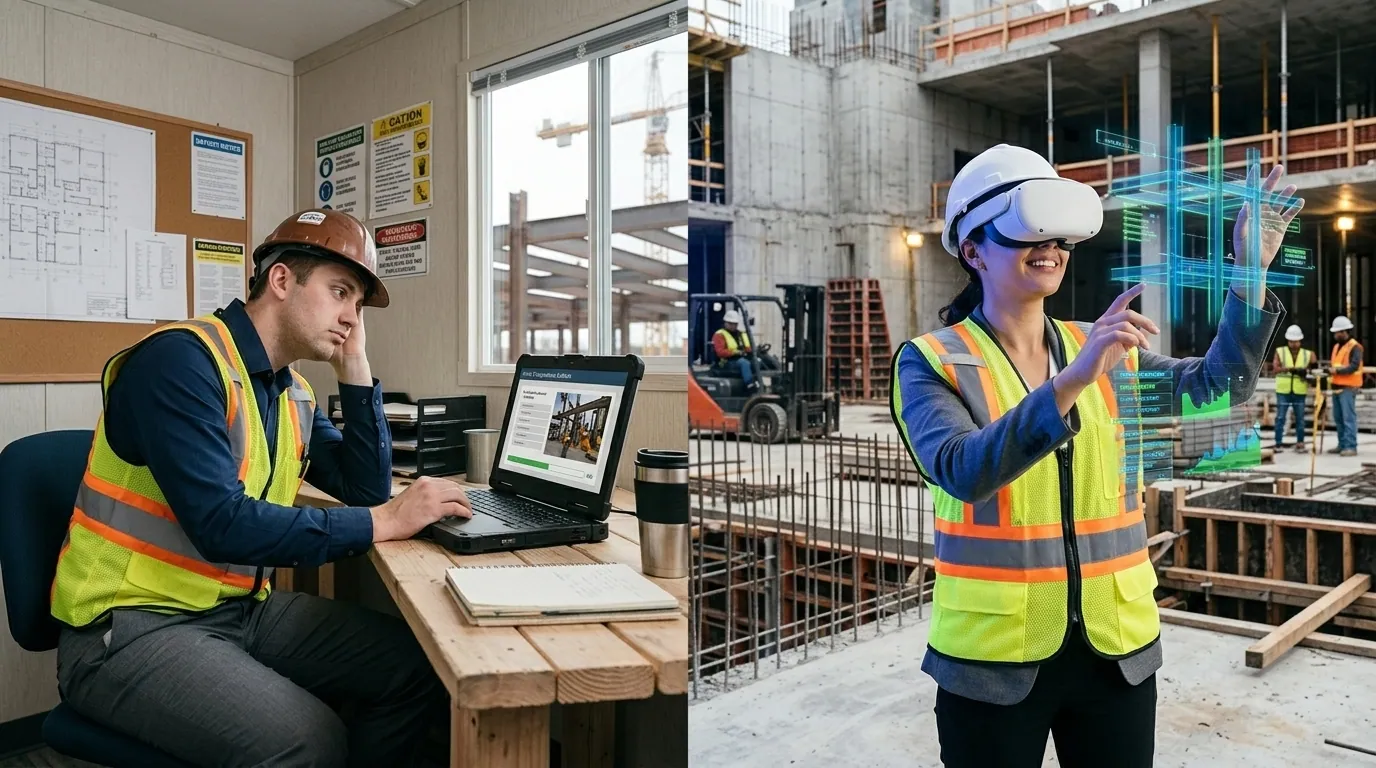
VR construction safety training puts a worker inside a hazardous scenario and makes them perform the procedure, instead of watching a video about it. Every session produces a record: who practiced what, when, how they scored, how many attempts, and which step they missed. Programs are custom-built from the contractor's own SOPs, equipment and site conditions. A single-scenario pilot starts near $25,000 and takes 8 to 12 weeks; multi-scenario programs run $200,000 or more over 16 to 28 weeks. The most requested scenarios are work at height, confined space, crane and rigging, forklift, fire safety, hot work and welding, and electrical safety.
Who This Is For
This is built for organizations that own the consequence of an incident, not for individuals shopping for a certificate:
The organizations
General contractors, EPC contractors in oil, gas and power, specialty and trade subcontractors, utilities, industrial maintenance operations, and staffing firms that place skilled labor on client sites.
Who this is built for
Safety directors, EHS managers, L&D leaders, training managers, and operations directors at companies of roughly 50 employees and up. The trigger is usually an incident, an audit finding, a client requirement, or a training standard that stopped holding as sites multiplied.
The problems that bring people here are consistent: crews pass the written test and still miss the hazard in the field. Training quality depends on which supervisor delivered it. A client or insurer demands evidence of competence, not attendance. New hires reach the site faster than the training program can absorb them. Or people arrive claiming they know the equipment and it turns out they do not, in front of the customer.
The Construction Safety Training Gap
Construction remains one of the most dangerous industries for workers. Falls, struck-by incidents, electrocution, and caught-in/between hazards, known as the "Fatal Four," account for the majority of construction fatalities each year. Training is mandated. Compliance is tracked. Yet incident rates persist.
The gap is not a lack of training. It is the gap between knowing a procedure and being able to execute it under real conditions. Video-based training shows workers what to do. It does not give them practice doing it.
$171 Billion
Annual cost of workplace injuries to U.S. employers, including medical costs, legal exposure, lost productivity, and insurance premium increases (National Safety Council)
VR vs. Traditional Construction Safety Training
| Training Method | Traditional (Video/Classroom) | VR Safety Training |
|---|---|---|
| Learning method | Watch and acknowledge | Practice and perform |
| Hazard exposure | Described or shown on video | Simulated in 3D environment |
| Documentation | Signed form (proves attendance) | Performance score (proves competence) |
| Retention (PwC data) | Baseline | 275% higher confidence applying skills |
| Repeatability | Annual refresher video | Unlimited practice sessions with scoring |
| Risk during training | None (no practice) | None (simulated hazards) |
Ten Scenarios a Construction Program Can Cover
These map to the hazard classes that drive most construction safety training, and each one can be built from your written procedure and your site. The list is not a catalog to pick from, it is a starting point for the conversation about which procedures are worth practicing.
1. Work at height and fall protection
Identify the fall hazard, select and inspect the harness, choose the correct anchor point, tie off, and respond to a simulated fall event. The scenario creates the pressure of height without the exposure. Fall protection is consistently OSHA's most-cited standard, which is usually why this procedure is the first one a contractor wants practiced rather than presented. If fall protection is the only hazard you need addressed, fall protection VR training covers that scenario on its own.
2. Confined space entry
Permit verification, atmospheric testing, ventilation, lock and tag, attendant and entrant roles, communication, and emergency extraction. Confined space is the clearest case for simulation: the procedure is entirely about what you verify before entry, and a classroom cannot put a worker in front of that decision without creating the hazard itself.
3. Crane and rigging operations
Load calculation, sling and hitch selection, inspection, signaling, exclusion zones, and load-path awareness. Note the scope: we build the procedural and decision-making layer, not a motion-base operator cab. If you need seat-time in a physical crane simulator, that is a different product and we will tell you so.
4. Forklift and material handling
Pre-use inspection, load stability, pedestrian awareness, blind corners, ramps, and dock edges. Frequently used as a competence check before placing an operator on a customer site, which is a different job than issuing an operator card.
5. Fire safety and extinguisher use
Classify the fire, select the right extinguisher, execute the technique, and know when the correct decision is to evacuate instead of fight. Removes the cost and cleanup of live-burn props while adding a scored record.
6. Hot work and welding
Permit process, fire watch duties, spark containment, ventilation, PPE selection, and post-work monitoring. Built around the hot work permit your organization actually issues.
7. Electrical safety and lockout/tagout
Energy source identification, isolation, verification, lock placement, arc flash boundary awareness, and PPE category selection. The full LOTO sequence gets executed and scored, so an omitted verification step is caught in simulation rather than on the job.
8. Hazard recognition walkdowns
The worker walks a virtual version of your site and calls out what is wrong before work begins. This tests whether they can spot an unsafe condition in context, which is a different skill than recognizing it on a multiple-choice quiz.
9. Site induction and onboarding
Your site layout, your rules, your muster points, your traffic plan. Delivered identically to every new hire and every subcontractor crew, regardless of which supervisor is on shift or which site they report to.
10. Emergency response
Alarm response, evacuation routing, muster and headcount, first aid decisions, and casualty handoff. Rehearsed as often as needed, rather than once a year with a clipboard.
Built on Your Procedures, Not a Template Library
This is the part that separates a custom program from an off-the-shelf module, and it is the reason the scenarios above are a starting point rather than a catalog. Every program is developed from four inputs that belong to you:
- Your SOPs. The scenario follows the procedure your organization actually issues, including the steps that are specific to your company and would be missing from a generic module.
- Your equipment. The harness, the panel, the lift, the extinguisher type your crews actually touch. Practicing on a generic model teaches a generic response.
- Your environments. Modeled from your sites, plants, or facilities. This is the difference between a worker recognizing the space and a worker translating a generic room into their own, which is the part of the design most likely to affect whether the first session lands.
- Your risk profile. The hazards that actually hurt people at your operation, in the order they matter, based on your incident history and audit findings.
We do not reskin templates and we do not issue certifications. If what you need is a standard OSHA 10 or 30 card, an authorized outreach trainer is the right answer and we will say so on the call rather than sell you something that will not hold up.
What You Need to Provide
The most common blocker is not budget or technology. It is that nobody knows what the client is expected to bring. Here it is:
| You provide | We handle |
|---|---|
| The written SOP or procedure per scenario | Instructional design and scenario branching |
| Photos, drawings or a site walk | 3D environment and equipment modeling |
| One subject matter expert for review | Build, QA, and revision cycles |
| Your scoring standard: what is pass and fail | Scoring logic, analytics and reporting |
| Headcount and site list | Headset deployment and device management |
You do not need 3D models, a VR team, existing digital content, or a technology strategy. Most programs start from what already lives in the safety binder.
The OSHA Documentation Advantage
Every VR training session generates a performance record: employee name, scenario completed, date, score, number of attempts, and specific errors. This data goes beyond proving attendance. It proves that the employee physically practiced the procedure and demonstrates their level of competence at the time of training.
For safety audits and incident investigations, the difference is what the record can support: not just that training was delivered, but that each employee demonstrated the procedure and at what score. Whether that changes an audit outcome depends on your auditor and your jurisdiction. What it changes for certain is what you are able to show. See comprehensive VR safety training programs for how the record is structured.
70%
Walmart associates trained with VR scored 70% higher on post-training assessments than associates trained conventionally (STRIVR, 2023). Read this as a published retail result, not a construction benchmark. It is evidence that practice-based training can outperform watch-based training in a large workforce, not a number to expect on a jobsite. Your own pilot scores are the only construction figure worth planning against.
What a Construction VR Program Is Designed to Surface
These are the effects a well-designed program is built to produce and measure. Whether they hold in your workforce is exactly what a pilot is for, and the scoring data will tell you either way:
- The first session is the most diagnostic. A worker can pass a written safety test and still hesitate on the procedure once the environment applies pressure. A scenario built to score decisions, not attendance, is what makes any gap between knowledge and performance visible in the first place.
- Repeat practice is the point of the format. Unlimited repetition at zero marginal risk is what VR offers that a live fall protection drill cannot. Scoring each attempt is what turns that repetition into evidence of whether response times and procedural errors actually improve.
- Performance data changes the internal conversation. A score with attempt counts and specific errors reads differently to leadership than a stack of signed attendance forms. That difference is the argument for expansion, and it depends on the data being collected from day one.
- Site-specific environments are a design decision, not a finish. Generic scenarios teach the procedure. Scenarios modeled on your actual sites remove the translation step between what the worker practiced and what the worker will face. Which matters more for your crews is measurable in a pilot.
Start With a Pilot, Not a Program
Nobody should commit six figures to a training method their crews have never worn. A pilot exists to answer one question: does your workforce perform measurably better after practicing in VR than after your current training? Everything else is a detail.
WHAT A PILOT LOOKS LIKE
- Scope: one scenario, your highest-consequence hazard. Usually work at height, confined space or LOTO.
- Timeline: 8 to 12 weeks from kickoff to headsets on heads.
- Participants: typically 20 to 50 workers, enough to see a pattern rather than an anecdote.
- Hardware: a small set of standalone headsets, no PCs and no dedicated room.
- What you get back: the built scenario, per-worker performance data, and a readout of where your crews actually failed.
- Investment: starts near $25,000 depending on scenario complexity.
- The decision after: scale to more scenarios and sites, or stop. Both are acceptable outcomes and the data should decide it.
The most useful thing a pilot produces is usually uncomfortable: the first session tends to reveal that workers who passed every written test cannot execute the procedure under simulated pressure. That gap is the entire business case, and you cannot see it on a sign-off sheet.
Timeline
| Phase | What happens | Typical duration |
|---|---|---|
| Discovery | Hazard review, SOP walkthrough, site visit, scoring standard agreed | 1 to 2 weeks |
| Design | Scenario script, decision branches, failure states, SME sign-off | 2 to 3 weeks |
| Build | Environment, equipment, interactions, scoring, QA | 4 to 6 weeks |
| Deploy | Headset provisioning, supervisor briefing, first cohort, data readout | 1 to 2 weeks |
A multi-scenario program across several hazard types and sites runs 16 to 28 weeks. The schedule risk on a project like this sits in scenario review, not in the VR work: every scenario needs a subject matter expert to confirm the procedure is correct before it gets built, and that person usually has a day job. Naming them before kickoff is the cheapest schedule insurance available.
What Actually Drives the Cost
A range of $25,000 to $200,000+ is useless without knowing which lever moves it. In order of impact:
- Number of scenarios. The largest single factor. Each one is its own design, build and QA cycle.
- Branching depth. A linear procedure check is far cheaper than a scenario where a wrong decision cascades into a different outcome. Branching is also where the real learning lives, so this is a genuine trade-off.
- Environment fidelity. A generic site is cheaper than your actual plant modeled from drawings. Fidelity buys credibility with crews.
- Languages. Each additional language adds voice-over, text and QA. Common on multi-national crews.
- LMS and xAPI integration. Sending completion and performance data into your existing system rather than exporting it manually.
- Multiplayer. A permit-required confined space entry with an attendant and an entrant training together costs more than either training alone.
- Hardware and device management. Usually the smallest line, and the one people expect to be the biggest.
The full VR training cost breakdown walks through each of these with ranges, and the pricing page covers engagement structure.
Multilingual Crews and One Safety Standard
On most US jobsites the safety standard reaches the crew through whoever happens to speak the language. A bilingual foreman translates the toolbox talk, and the standard quietly becomes whatever that foreman remembers and chooses to emphasize. Turnover resets the process, and the training that reaches one crew is not the training that reaches the next.
A scenario is built once and localized, so the same hazard, the same decision points and the same scoring reach an English-speaking crew and a Spanish-speaking crew without depending on who is on shift to interpret it. Every worker trains against one standard and the documentation is consistent across all of them. Language count is a real cost driver, so it is worth deciding early rather than adding later.
Hardware and Deployment
Standalone enterprise headsets. No PC, no cables, no dedicated training room. Programs run out of a job trailer, a training room, or a rolling safety cart between sites. Devices are managed centrally, so a crew at a remote site receives new content without IT touching each headset, and content runs offline when connectivity does not exist, which on a construction site is most of the time.
The reasonable way to buy hardware here is to start a pilot with a handful of headsets and scale the fleet only after the performance data justifies it. For how the build process works end to end, see how VR training development works, and for the build-versus-buy question, custom VR training software.
What Gets Measured
Completion is not a metric, it is a receipt. Every session captures:
- Which decisions the worker made, in what order, and how long each one took
- Which procedural steps were skipped, and whether the skip was caught on a retry
- Hazards spotted versus hazards walked past
- Attempts required to reach the pass standard you defined
- Score trend per worker, per crew, per site, and per supervisor
That last one tends to be the most politically interesting number in the building. It is also what turns a safety manager into an internal advocate: performance data reads very differently to leadership than a stack of signed attendance forms. For the broader measurement case, see VR training ROI.
What construction safety scenarios can be built in VR? +
The ten we are asked for most are work at height and fall protection, confined space entry, crane and rigging operations, forklift and material handling, fire safety and extinguisher use, hot work and welding, electrical safety and lockout/tagout, hazard recognition walkdowns, site induction and onboarding, and emergency response. Each one is built from your written procedure and your site, not from a generic library. If a scenario is not on this list, it can almost certainly still be built: the question is whether the procedure is documented well enough to model.
Do you sell off-the-shelf safety courses? +
No. We do not sell a catalog of pre-made modules and we do not issue certifications. We build custom programs from your existing safety documentation, your equipment, and your site conditions. If you need a standard OSHA 10 or OSHA 30 card, an authorized outreach trainer is the right route and we will say so on the call.
What do we need to provide to get started? +
Four things: the written procedure or SOP for each scenario you want built, photographs or drawings of the site or equipment, one subject matter expert who can review the scenario for accuracy, and a decision on how many people need to train. You do not need 3D models, a VR team, or existing digital content. In most cases the source material is what already lives in the safety binder.
Can VR training count toward OSHA compliance? +
VR training supplements required OSHA certifications rather than replacing them. What it adds is evidence: each session generates a record of who practiced which scenario, when, how they scored, how many attempts they needed, and which steps they missed. For audits and incident investigations, that is a stronger position than a signed attendance sheet, because it shows the employer verified competence rather than delivery.
How long does a construction VR safety program take to build? +
A single-scenario pilot typically runs 8 to 12 weeks from kickoff to headset. A multi-scenario program covering several hazard types across multiple sites runs 16 to 28 weeks. The largest variable is not the VR work, it is how quickly your subject matter experts can review and sign off on each scenario.
How much does construction VR safety training cost? +
Roughly $25,000 to $200,000+ depending on scope. A focused single-scenario module like work at height starts near $25,000. Multi-scenario programs across multiple hazard types and sites scale to $200,000 or more. The cost drivers are the number of scenarios, how much branching each one needs, whether environments are modeled from your actual sites, language count, and LMS integration. See the full cost breakdown.
What hardware do our crews need? +
Standalone enterprise headsets. No PC, no cables, no dedicated room. Programs run at a job trailer, a training room, or a mobile safety cart. Headsets are managed centrally so crews receive content without IT touching each device. A sensible pilot starts with a handful of headsets and scales the fleet only after the results are in.
How does VR safety training compare to video-based training? +
VR produces practiced competence; video produces watched awareness. In its 2020 VR Soft Skills Study, PwC reported that VR learners were 3.75x more emotionally connected to the content than classroom learners and 275% more confident applying skills. That study covered soft skills training, so treat it as evidence for the format rather than a construction safety benchmark. The mechanism it points to is the one that matters here: the worker practices the procedure instead of watching it, and the session produces a score rather than a signature.
Scenarios covered in depth:
Before you buy: